

Outlook Desktop Application for Mac:
1. Open Outlook Preferences / Settings.
2. Select Calendar.
3. Click Configure next to "Add online meeting to all events."
4. Uncheck "Add online meeting to all meetings." for each account in the left hand sidebar.
Click Save.
Outlook Web Application (Browser Version):
- Click the settings gear in the upper right.
- Select View all Outlook settings.
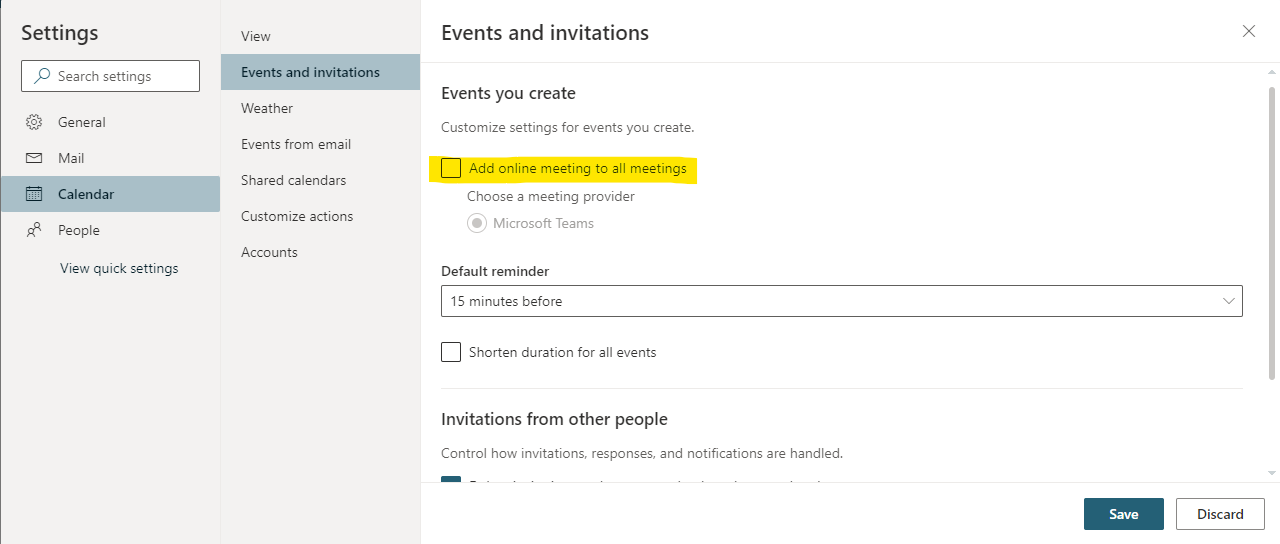
- Select Calendar > Events and invitations.
- Uncheck "Add online meeting to all meetings."
- Click Save.
Comments
0 comments
Please sign in to leave a comment.